
Download Eunomia – process builder, workflow management, business process diagram, resource management, process diagram tool, workflow diagram, diagramming software
Overview
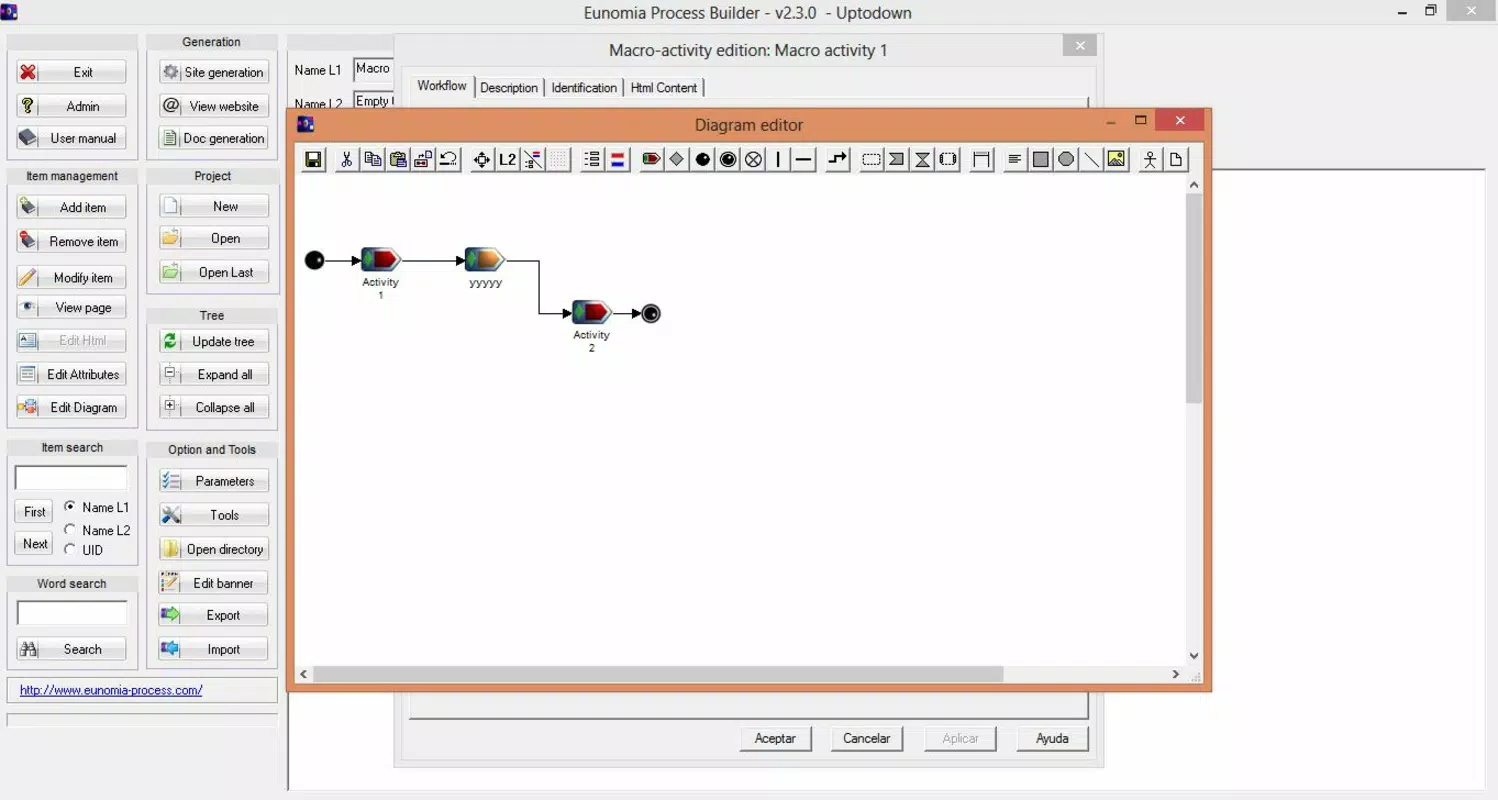
Eunomia Process Builder is a mobile application designed to support businesses in managing resources and constructing detailed process diagrams. The app serves as a digital tool for visualizing workflows, enabling teams to map out operational sequences, allocate tasks, and monitor progress efficiently. Its core purpose lies in simplifying complex business processes through structured visualization, which enhances clarity and coordination across departments. The application is particularly useful for project managers, operations coordinators, and team leaders who rely on clear, dynamic representations of workflows to improve decision-making and productivity.
While the interface may initially appear intricate due to its comprehensive layout, the inclusion of an integrated video tutorial helps users overcome the learning curve. This feature ensures that even those with limited experience in diagramming tools can quickly become proficient. The app’s ability to export diagrams as websites further expands its utility, allowing seamless sharing with colleagues, clients, and stakeholders. This functionality supports remote collaboration and real-time feedback, making Eunomia a practical asset in modern, distributed work environments.
The developer, Eunomia, has positioned this tool within the productivity category, targeting organizations seeking accessible yet powerful solutions for workflow optimization. Although specific details about the developer’s background are not provided, the app’s long-standing presence since its release in 2016 suggests a commitment to stability and usability. Its relevance in the digital transformation of business operations underscores its value as a lightweight yet effective diagramming utility.
Key Features & Functionality
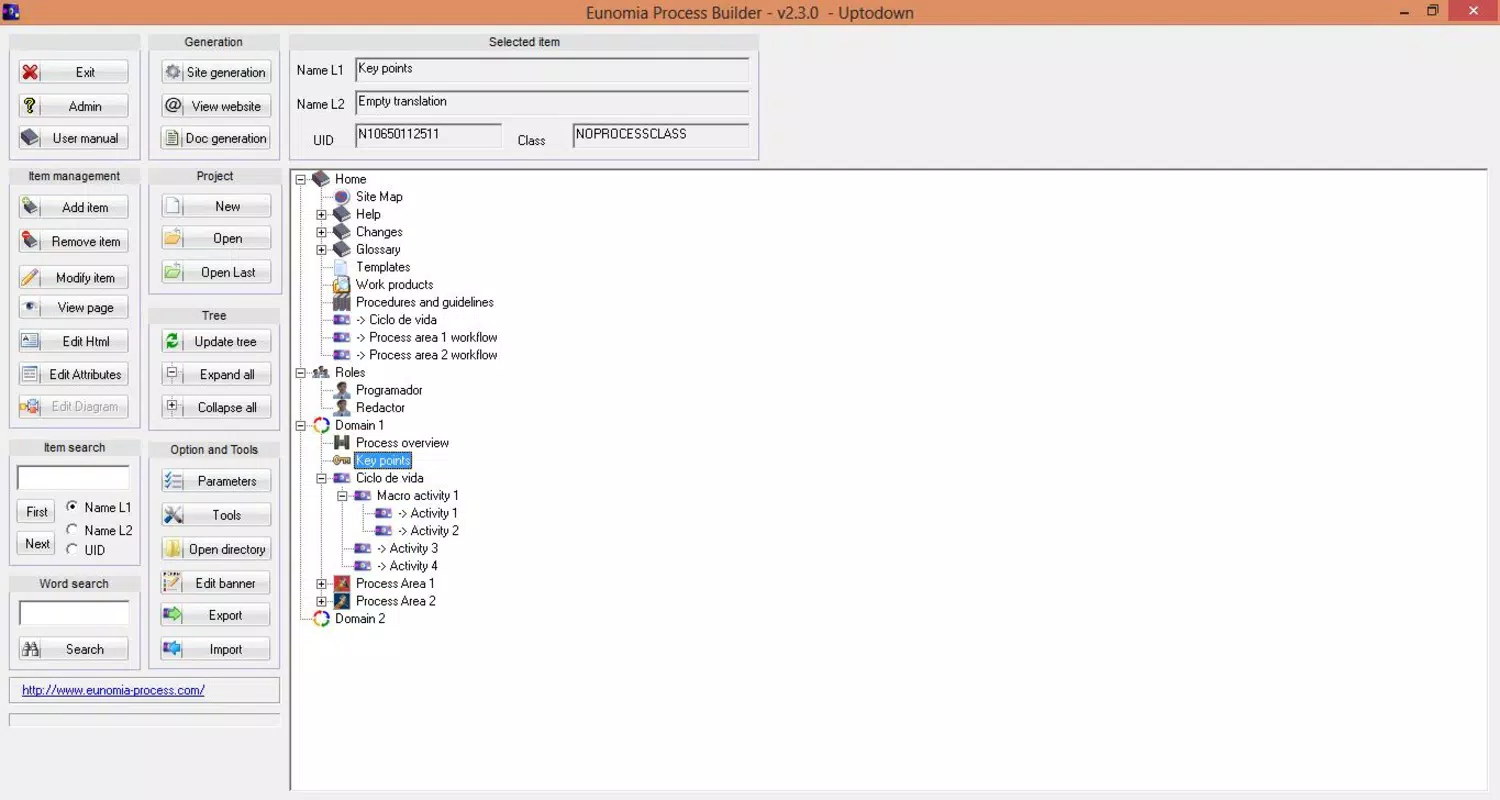
- User-Friendly Interface: Despite its visually dense layout, Eunomia presents all available options in a structured manner. The design encourages users to explore its full potential, and with consistent use, navigation becomes intuitive. This layout supports efficient workflow creation without sacrificing functionality.
- Comprehensive Tutorial: An embedded video tutorial guides users through each major feature. Step-by-step instructions help onboard new users, reducing the risk of errors and improving adoption rates across teams. This resource is especially beneficial for individuals without prior experience in process modeling.
- Export Diagrams as Websites: Users can convert their process diagrams into interactive web pages. This feature eliminates the need for additional software or file conversions, enabling instant sharing via links. It supports real-time collaboration and feedback, ideal for presentations or stakeholder reviews.
- Resource Management Tools: The app includes tools for tracking and optimizing business resources within workflows. These tools allow users to assign tasks, monitor progress, and adjust allocations dynamically, promoting efficiency and accountability.
For example, a project manager can use Eunomia to map a client onboarding process, assign team roles, and export the diagram as a shareable website to present to the client. Similarly, an operations lead can visualize a supply chain workflow, identify bottlenecks, and optimize resource deployment using the app’s built-in tools. These real-world applications highlight Eunomia’s practical value in streamlining business operations.
Interface, UX & Performance
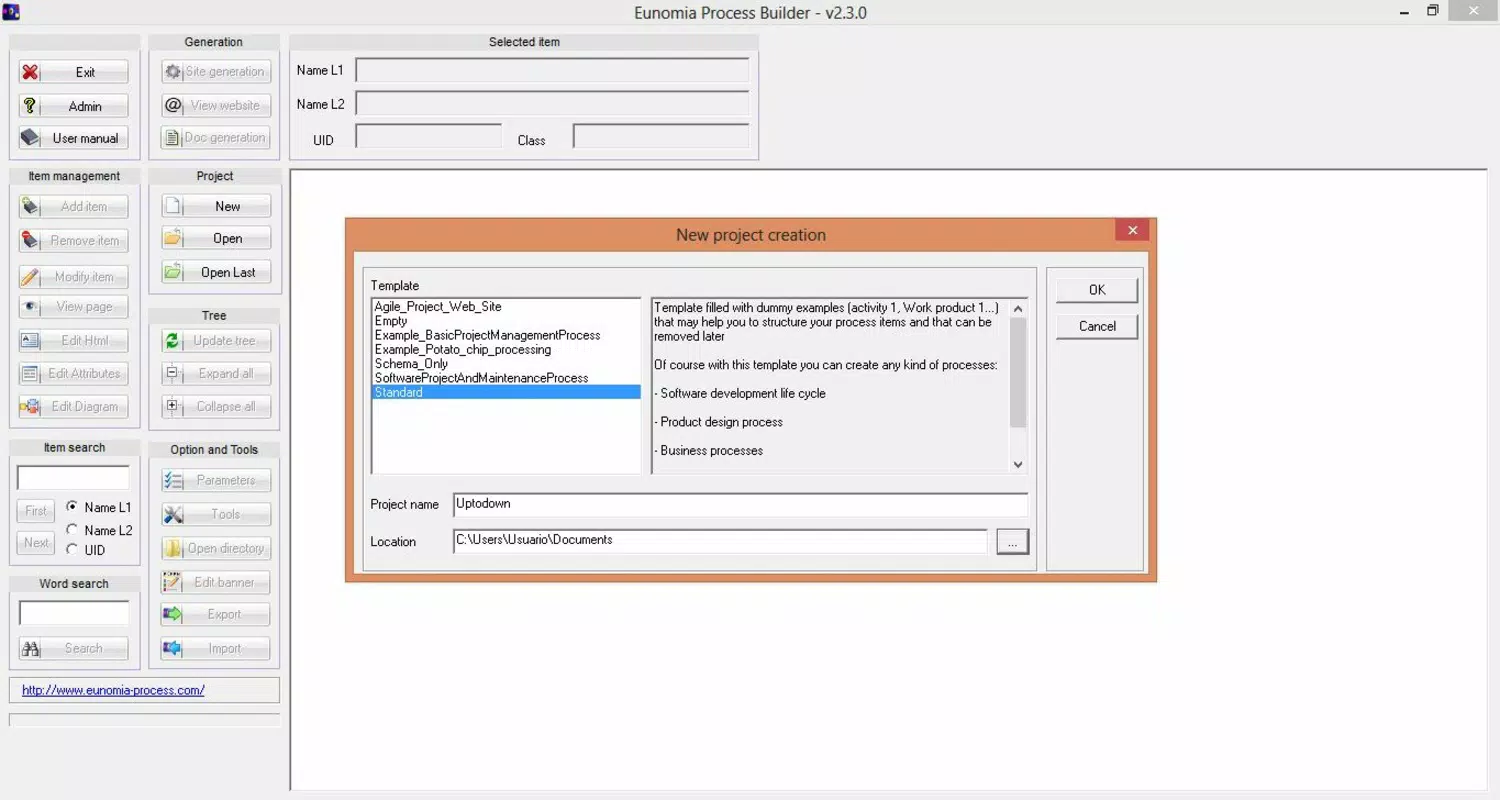
The user interface of Eunomia is characterized by a high-density layout that organizes tools, templates, and workflow elements in a visually coherent manner. While the initial visual complexity may seem overwhelming, the app’s consistent design language and logical grouping of functions support gradual familiarity. Navigation relies on a combination of menus, icons, and gesture-based interactions, which are generally responsive and predictable.
Although the developer did not list formal performance metrics, the app’s lightweight size of 25.4 MB suggests efficient resource usage. This size contributes to faster load times and reduced memory consumption, which is beneficial for devices with limited storage or processing power. The app appears stable across various Android devices, though specific compatibility details were not disclosed.
Responsiveness is maintained during common tasks such as diagram creation, element manipulation, and export processes. Users can expect smooth transitions between screens and minimal lag during interactive sessions. However, the absence of detailed system requirements means that performance on older or low-end devices cannot be confirmed. Overall, the user experience is enhanced by the tutorial and intuitive design, which help mitigate any potential usability barriers.
Platform Compatibility & Technical Requirements
Eunomia is available exclusively on the Android platform. The current version is 1.0.0, and the app occupies 25.4 MB of storage space. This compact file size indicates a streamlined design focused on core functionality without excessive bloat.
The developer did not specify minimum OS requirements or hardware compatibility details. As such, users should ensure their device meets general Android standards for app installation. The absence of version-specific compatibility information limits the ability to assess support for older or newer Android releases. However, the app’s release date in 2016 suggests it may have been designed for earlier Android versions, though it may still function on modern systems.
Pros and Cons
Pros
- Free to download and use, making it accessible for small teams and startups.
- Includes an integrated video tutorial to support onboarding and learning.
- Allows export of process diagrams as web pages for easy sharing.
- Lightweight size (25.4 MB) ensures efficient storage usage.
- Designed for productivity-focused business users needing workflow visualization.
Cons
- Interface may appear overwhelming for first-time users.
- Specific system requirements were not listed.
- Compatibility with newer Android versions is unconfirmed.
- No information on cloud sync or multi-device access.
- Limited to Android platform; no iOS availability.
FAQ
Is Eunomia available for iOS devices?
The app is currently available only on Android. No iOS version has been announced.
Can I use Eunomia without an internet connection?
Yes, the app functions offline for creating and editing diagrams. Exporting diagrams as websites may require internet access for finalizing the export process.
Is Eunomia safe to download and install?
As a free app from a known developer, Eunomia is considered secure. Users should download it from official Android sources to ensure authenticity.
How often is Eunomia updated?
Specific update frequency is not disclosed. However, the app has been available since 2016, indicating ongoing maintenance.
Can I share my diagrams with non-users?
Yes, diagrams can be exported as websites, which can be accessed by anyone with a web browser, regardless of whether they have the app.
Final Thoughts
Eunomia Process Builder stands out as a focused, efficient tool for businesses seeking to visualize and manage workflows on mobile devices. Its ability to transform complex processes into shareable web-based diagrams enhances collaboration and transparency. While the interface may challenge beginners, the built-in tutorial ensures a manageable learning curve. The app’s lightweight nature and free pricing make it an attractive option for teams operating on tight budgets.
Though limited to Android and lacking detailed compatibility information, Eunomia delivers tangible value in process management and resource tracking. It is particularly beneficial for small to mid-sized businesses, project managers, and operational teams looking for a straightforward yet powerful diagramming solution.
Download Eunomia now


